
Key takeaways
- An asset hierarchy organizes equipment in parent-child relationships so work orders, costs, and history roll up to the right asset.
- Many maintenance teams use four or five levels in their asset hierarchies (typically facility, area, system, equipment, and component).
- Consistent naming, clear equipment boundaries, and a named data owner help keep a hierarchy accurate.
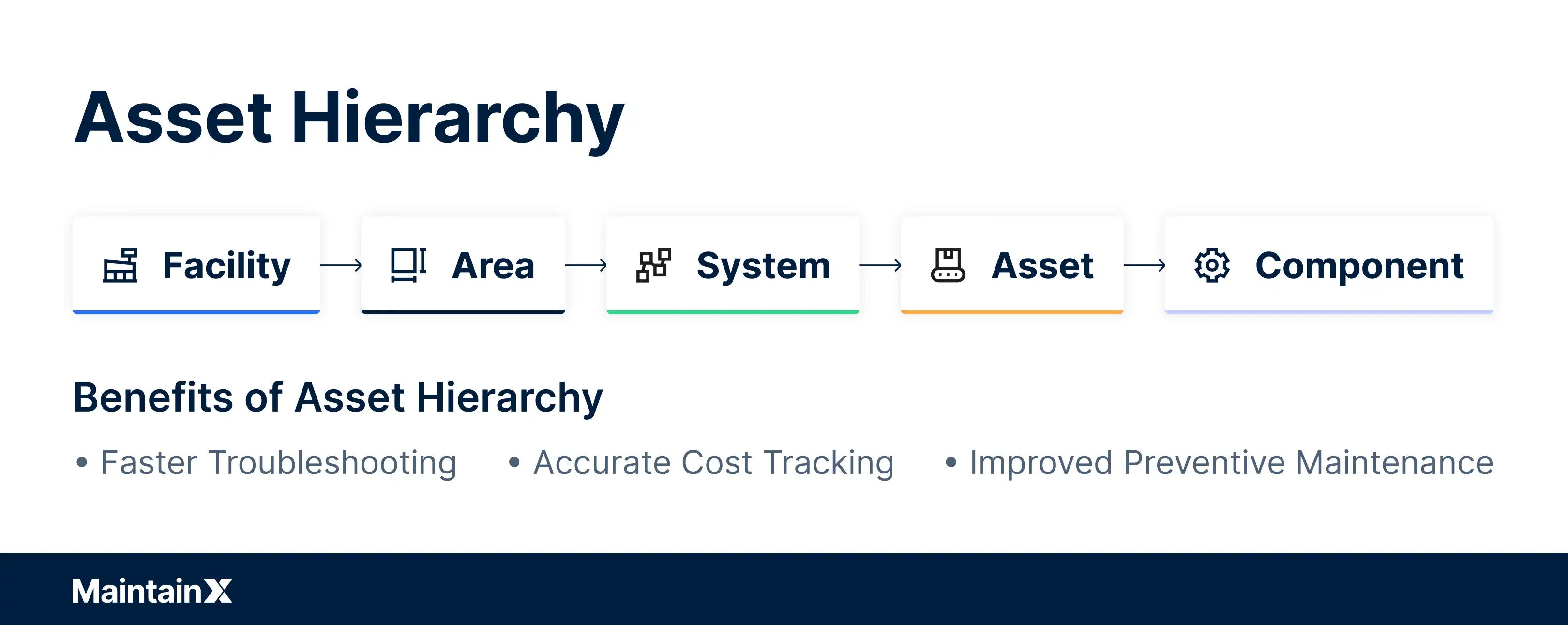
An asset hierarchy is a logical, multi-level index of all your maintenance equipment and components. It provides essential asset data and shows how those assets connect and work together.
Without a clear asset hierarchy, maintenance teams often waste time hunting for information, planners can't find asset IDs, and managers lose track of costs.
Here, you'll learn how to build an asset hierarchy, see real-world examples of its structure, and see its benefits for maintenance and resource management.
What is an asset hierarchy?
An asset hierarchy is a multi-level, parent-child structure that organizes a facility's equipment from the site down to individual components. In a parent-child relationship, each item sits under the one above it: the parent is the larger system or location, and the child is the piece within it. For example, a gearbox (child) belongs to a conveyor (parent), which belongs to the filling line (parent of the conveyor), so a repair on the gearbox is also recorded against the conveyor and the line, giving you the full cost and downtime picture at every level.
Many maintenance teams organize their equipment hierarchy into five levels:
Level
What it represents
Example
Facilities example
1. Facility (site)
The physical location
Bottling plant
Distribution center
2. Area (department)
A zone or department within the site
Packaging department
Loading dock
3. System (line)
Equipment that works together to perform one function
Filling and capping line
Heating, ventilation, and air conditioning (HVAC) system
4. Equipment (asset)
An individual machine you maintain
Conveyor
Rooftop air handler
5. Component (part)
A replaceable part inside the equipment
Gearbox or drive motor
Fan belt or filter
What an asset hierarchy looks like (with real-world examples)
As we saw in the table above, an asset hierarchy follows a tree structure from general categories at the top to specific components at the bottom, encompassing all the assets in your facility.
Creating a clear asset hierarchy in your computerized maintenance management system (CMMS) makes everyday maintenance faster. Technicians find any asset in a few clicks instead of scrolling through an unstructured list. The system also nests work orders under the correct asset so there's no confusion about which "Pump #3" a job refers to, and reliability data stays tied to the right equipment.
Here's a real-world example: Imagine a bottling plant with a conveyor issue. Using a structured hierarchy, you can trace the problem step-by-step:
- Plant (site): Start at the bottling plant, then drill down to the specific area (packaging department).
- System (line): Navigate to the bottling line system that handles filling and packaging.
- Asset (machine): Locate the particular conveyor belt machine reporting an issue.
- Component (part): Examine the conveyor's components (motor, belt, gearbox) to pinpoint the failing part.
This structured approach lets you isolate the issue logically, speed up troubleshooting, and log repairs at the correct level of the hierarchy.


Why a solid asset hierarchy makes maintenance better
A well-built asset hierarchy delivers tangible benefits to maintenance operations. .
Full visibility and proactive planning
With a complete asset map, it’s easier to plan preventive maintenance (PM) so no machine gets missed. Because every work order and maintenance record rolls up through the hierarchy, maintenance managers can also see which systems and assets drive the most downtime, and spot gaps in PM coverage before they turn into failures.
Faster troubleshooting and root-cause analysis
When failures happen, technicians can trace the failing component through the hierarchy, gaining a view into the larger system component belongs to and its sub-components. That context helps teams find the underlying reason for a failure faster.
Accurate cost tracking and resource allocation
With costs logged against specific assets, teams can track maintenance expenses with precision. This shows which components or machines incur the most frequent repairs and the highest costs, making it easier to justify replacements or upgrades.
Improved documentation, compliance, and analysis
A solid hierarchy helps teams file maintenance records, inspection reports, and performance logs correctly for an accurate equipment history. This history is invaluable for compliance audits. It also supports advanced maintenance strategies like predictive analytics, because you can spot patterns across similar equipment.
Documented, standardized asset data also matters as experienced staff retire or move on. The Bureau of Labor Statistics projects about 51,900 openings each year over the 2025–2035 decade for industrial machinery mechanics, machinery maintenance workers, and millwrights. When new technicians fill those roles, a clear hierarchy gives them asset context that veterans used to carry in memory.
How to build an asset hierarchy
Creating an effective hierarchy requires careful planning. The following four steps cover the process from inventory to software setup.
1. Inventory and categorize assets
Start by taking stock of all your equipment, machines, and significant components, which makes later data analysis easier. Use equipment lists, maintenance manuals, inspection reports, and even nameplates to gather information. As you inventory assets, categorize and prioritize them rather than just making one long list.
Identify the critical machines that would disrupt operations the most if they failed, along with their key components. It's better to build a focused hierarchy with detailed information on critical assets than an extremely large one with many rarely used items.
Clear equipment boundaries prevent the same failure from being logged in two places. A motor that drives a pump, for example, should belong to either the pumping system or the electrical system, and that rule should apply everywhere.
2. Define hierarchy levels (facility, area, equipment, component)
Next, outline your hierarchy structure by defining its levels. Too few levels lump too many items together and lose clarity; too many levels make the hierarchy cumbersome. A common rule of thumb is two or three sub-levels under each asset.
As the section above outlined, many maintenance teams use four or five levels:
- Level 1 – Facility (or site)
- Level 2 – Area or department
- Level 3 – System or line
- Level 4 – Equipment unit
- Level 5 – Component
3. Standardize naming and classifications
Develop standard naming conventions and classification codes for your assets. Consistent naming prevents duplicate entries and confusion. Use recognizable data categories for asset types rather than company-specific jargon.
A unique identifier should convey meaningful information. "Conveyor-2-3" indicates the asset type (conveyor), that it's the second conveyor of that type, and that it sits at location #3. A food and beverage plant might use "MIX-01-TANK-02" to identify the second tank on mixing line one.
Follow these naming best practices:
- Make names logical, consistent, and unique across all levels.
- Avoid special characters and overly long names.
- Plan for growth in your naming scheme.
- Avoid duplicate names or codes. Each asset should appear only once.
Also standardize asset classifications and attributes (model, manufacturer, criticality). Document these conventions in a reference guide and train your team so everyone follows the same system.
4. Load it into a computerized maintenance management system
Most CMMS and enterprise asset management (EAM) platforms build an asset tree: you create top-level parent assets, then attach child assets beneath them.
Each asset record should include these fields:
- Category and criticality
- Manufacturer and model
- Serial number
- Parent asset and location
Before loading, confirm you're only including assets you truly want to track. Complete records make the data valuable for reporting and decision-making.
Once you've loaded your hierarchy, the CMMS enforces consistency by requiring technicians to select from existing assets when logging work, preventing rogue entries or misnamed duplicates. Quick response (QR) codes attached to each asset make that selection faster on the floor.
Maintain and improve your asset hierarchy over time
Building an asset hierarchy isn't a one-time process. Equipment and operations evolve: you add new machines, decommission old ones, and reconfigure production lines. To keep your hierarchy valuable, you must maintain it regularly.
Assign a specific person or team as the owner of the asset hierarchy data, typically a maintenance planner, asset manager, or reliability engineer. They keep the hierarchy current by adding new equipment in the correct spot and removing or updating retired equipment.
Schedule regular audits (quarterly or biannually) to verify that:
- All new assets are entered, and disposed assets are removed
- Parent-child relationships still reflect reality
- Naming conventions and data fields are consistently applied
Keeping the structure accurate helps prevent missed maintenance tasks and lost cost history.
Common asset hierarchy mistakes to avoid
Most hierarchy problems come from a handful of predictable decisions made early in a CMMS rollout.
- Going too deep: Tracking every actuator and fastener as its own asset creates records nobody maintains. Spare parts lists can hold low-criticality items.
- Inconsistent structure across areas: When the same pump type sits at different levels in different departments, technicians can't find it and reports can't compare it.
- Unclear equipment boundaries: Without boundary rules, failures get logged in two places or not at all.
- Mixing locations and assets: Locations stay fixed while equipment moves. Treating them as one record breaks cost history when a unit is swapped out.
- No owner: Without someone accountable for the data, new equipment gets added ad hoc.
Streamline maintenance with a structured asset hierarchy
An asset hierarchy is the foundation every other maintenance practice builds on. Preventive maintenance schedules, cost reports, and root cause analysis are only as reliable as the structure underneath them.
MaintainX gives you a mobile-first way to build that structure, keep it current, and connect it to work orders and parts. Sign up for free to get started.
Asset hierarchies FAQs
What is the asset hierarchy structure?
An asset hierarchy structure is a parent asset-child asset organization of equipment and components, typically using 4-5 levels: Facility → Area → System → Equipment → Component. This pyramid-like structure organizes assets from the largest (facility) down to the smallest replaceable parts, showing how equipment relates to systems and locations.
What is the ISO standard for asset hierarchy?
ISO 14224 is the international standard for asset hierarchy structures. Initially developed for the oil and gas industry, it is widely applied across sectors. It specifies a nine-level taxonomy from industry down to individual parts, providing a standardized framework for classifying and organizing equipment.
What is the equipment hierarchy standard?
The equipment hierarchy standard most commonly referenced is ISO 14224, which establishes best practices for organizing assets in a logical structure. While originally designed for the petroleum and natural gas industries, it's been adapted across sectors. ISO 14224 typically recommends a structure where equipment units contain subunits, which contain components, which contain parts, all organized by location and function.
What is the difference between an asset hierarchy and a location hierarchy in a CMMS?
A location hierarchy describes where things are, such as site, area, and functional position. An asset hierarchy describes the equipment installed there and its components. Keeping them separate preserves the history of a position even when you swap the equipment in it.
How are asset categories different from asset hierarchy levels in manufacturing facilities?
Categories group similar equipment, such as pumps, compressors, or conveyors, no matter where they sit. Levels describe where an asset falls in the parent-child structure. You need both: categories make cross-site comparisons possible, and levels make costs and work roll up correctly.
Can one asset hierarchy template work across multiple manufacturing sites?
A shared template for levels, naming conventions, and required data fields can work well across sites. Each site still fills in its own areas and lines. Standardizing the template makes multi-site reporting and benchmarking reliable.

Kim Jakubowski is a Principal Content Producer at MaintainX, an Autodesk company. She has more than a decade of experience in content marketing across several industries, including B2B technology.